mirror of
https://github.com/microsoft/terminal.git
synced 2025-12-19 18:11:39 -05:00
ee6060b3a4106cac0d9b220023fa002a68a8fc41
57 Commits
| Author | SHA1 | Message | Date | |
|---|---|---|---|---|
 Carlos Zamora
|
ee6060b3a4 |
Fix search not scrolling to result past view (#19571)
## Summary of the Pull Request Fixes a bug where search would not scroll to results just below the viewport. This was caused by code intended to scroll the search result in such a way that it isn't covered by the search box. The scroll offset is calculated in `TermControl::_calculateSearchScrollOffset()` then handed down in the `SearchRequest` when conducting a search. This would get to `Terminal::ScrollToSearchHighlight()` where the offset is applied to the search result's position so that we would scroll to the adjusted position. The adjustment was overly aggressive in that it would apply it to both "start" and "end". In reality, we don't need to apply it to "end" because it wouldn't be covered by the search box (we only scroll to end if it's past the end of the current view anyways). The fix applies the adjustment only to "start" and only does so if it's actually in the first few rows that would be covered by the search box. That unveiled another bug where `Terminal::_ScrollToPoints()` would also be too aggressive about scrolling the "end" into view. In some testing, it would generally end up scrolling to the end of the buffer. To fix this cascading bug, I just had `_ScrollToPoints()` just call `Terminal::_ScrollToPoint()` (singular, not plural) which is consistently used throughout the Terminal code for selection (so it's battle tested). `_ScrollToPoints()` was kept since it's still used for accessibility when selecting a new region to keep the new selection in view. It's also just a nice wrapper that ensures a range is visible (or at least as much as it could be). ## References and Relevant Issues Scroll offset was added in #17516 ## Validation Steps Performed ✅ search results that would be covered by the search box are still adjusted ✅ search results that are past the end of the view become visible ✅ UIA still selects properly and brings the selection into view ## PR Checklist Duncan reported this bug internally, but there doesn't seem to be one on the repo. |
||
|
Leonard Hecker
|
2e78665ee0 |
Move all blink handling into Renderer (#19330)
This PR moves the cursor blinker and VT blink rendition timer into `Renderer`. To do so, this PR introduces a generic timer system with which you can schedule arbitrary timer jobs. Thanks to this, this PR removes a crapton of code, particularly throughout conhost. ## Validation Steps Performed * Focus/unfocus starts/stops blinking ✅ * OS-wide blink settings apply on focus ✅ |
||
|
Carlos Zamora
|
64d4fbab17 |
Make selection an exclusive range (#18106)
Selection is generally stored as an inclusive start and end. This PR makes the end exclusive which now allows degenerate selections, namely in mark mode. This also modifies mouse selection to round to the nearest cell boundary (see #5099) and improves word boundaries to be a bit more modern and make sense for degenerate selections (similar to #15787). Closes #5099 Closes #13447 Closes #17892 ## Detailed Description of the Pull Request / Additional comments - Buffer, Viewport, and Point - Introduced a few new functions here to find word boundaries, delimiter class runs, and glyph boundaries. - 📝These new functions should be able to replace a few other functions (i.e. `GetWordStart` --> `GetWordStart2`). That migration is going to be a part of #4423 to reduce the risk of breaking UIA. - Viewport: added a few functions to handle navigating the _exclusive_ bounds (namely allowing RightExclusive as a position for buffer coordinates). This is important for selection to be able to highlight the entire line. - 📝`BottomInclusiveRightExclusive()` will replace `EndExclusive` in the UIA code - Point: `iterate_rows_exclusive` is similar to `iterate_rows`, except it has handling for RightExclusive - Renderer - Use `iterate_rows_exclusive` for proper handling (this actually fixed a lot of our issues) - Remove some workarounds in `_drawHighlighted` (this is a boundary where we got inclusive coords and made them exclusive, but now we don't need that!) - Terminal - fix selection marker rendering - `_ConvertToBufferCell()`: add a param to allow for RightExclusive or clamp it to RightInclusive (original behavior). Both are useful! - Use new `GetWordStart2` and `GetWordEnd2` to improve word boundaries and make them feel right now that the selection an exclusive range. - Convert a few `IsInBounds` --> `IsInExclusiveBounds` for safety and correctness - Add `TriggerSelection` to `SelectNewRegion` - 📝 We normally called `TriggerSelection` in a different layer, but it turns out, UIA's `Select` function wouldn't actually update the renderer. Whoops! This fixes that. - TermControl - `_getTerminalPosition` now has a new param to round to the nearest cell (see #5099) - UIA - `TermControlUIAProvider::GetSelectionRange` no need to convert from inclusive range to exclusive range anymore! - `TextBuffer::GetPlainText` now works on an exclusive range, so no need to convert the range anymore! ## Validation Steps Performed This fundamental change impacts a lot of scenarios: - ✅Rendering selections - ✅Selection markers - ✅Copy text - ✅Session restore - ✅Mark mode navigation (i.e. character, word, line, buffer) - ✅Mouse selection (i.e. click+drag, shift+click, multi-click, alt+click) - ✅Hyperlinks (interaction and rendering) - ✅Accessibility (i.e. get selection, movement, text extraction, selecting text) - [ ] Prev/Next Command/Output (untested) - ✅Unit tests ## Follow-ups - Refs #4423 - Now that selection and UIA are both exclusive ranges, it should be a lot easier to deduplicate code between selection and UIA. We should be able to remove `EndExclusive` as well when we do that. This'll also be an opportunity to modernize that code and use more `til` classes. |
||
|
Dustin L. Howett
|
1ef497970f | Introduce the concept of "selection spans" instead of "rects" (#17638) | ||
|
Leonard Hecker
|
ac5b4f5831 |
Use VT for COOKED_READ_DATA (#17445)
By rewriting `COOKED_READ_DATA` to use VT for its output we make it possible to pass this VT output 1:1 straight to the hosting terminal if we're running under ConPTY. This is also possible with the current console APIs it uses, but it's somewhat janky. In particular the usage of `ReadConsoleOutput` to backup/restore the popup contents could be considered bad faith "rules for thee, not for me", given that we're telling people to move away from those APIs. The new implementation contains a bare bones "pager" to fit even very long prompt contents into the VT viewport. I fully expect this initial PR to not be entirely bug free, because writing a proper pager with line wrapping is a little bit complex. This PR takes some significant shortcuts by leveraging the fact that the prompt line is always left-to-right and always a series of fully filled lines followed by one potentially semi-full line. This allows us to skip using a front/back-buffer for diffing the contents between two redisplay calls. Part of #14000 ## Validation Steps Performed * ASCII input * Chinese input (中文維基百科) ✅ * Surrogate pair input (🙂) ✅ * In cmd.exe * Create 2 files: "a😊b.txt" and "a😟b.txt" * Press tab: Autocomplete to "a😊b.txt" ✅ * Navigate the cursor right past the "a" * Press tab twice: Autocomplete to "a😟b.txt" ✅ * Execute `printf(" "); gets(buffer);` in C (or equivalent) * Press Tab, A, Ctrl+V, Tab, A ✅ * The prompt is " A^V A" ✅ * Cursor navigation works ✅ * Backspacing/Deleting random parts of it works ✅ * It never deletes the initial 4 spaces ✅ * Backspace deletes preceding glyphs ✅ * Ctrl+Backspace deletes preceding words ✅ * Escape clears input ✅ * Home navigates to start ✅ * Ctrl+Home deletes text between cursor and start ✅ * End navigates to end ✅ * Ctrl+End deletes text between cursor and end ✅ * Left navigates over previous code points ✅ * Ctrl+Left navigates to previous word-starts ✅ * Right and F1 navigate over next code points ✅ * Pressing right at the end of input copies characters from the previous command ✅ * Ctrl+Right navigates to next word-ends ✅ * Insert toggles overwrite mode ✅ * Delete deletes next code point ✅ * Up and F5 cycle through history ✅ * Doesn't crash with no history ✅ * Stops at first entry ✅ * Down cycles through history ✅ * Doesn't crash with no history ✅ * Stops at last entry ✅ * PageUp retrieves the oldest command ✅ * PageDown retrieves the newest command ✅ * F2 starts "copy to char" prompt ✅ * Escape dismisses prompt ✅ * Typing a character copies text from the previous command up until that character into the current buffer (acts identical to F3, but with automatic character search) ✅ * F3 copies the previous command into the current buffer, starting at the current cursor position, for as many characters as possible ✅ * Doesn't erase trailing text if the current buffer is longer than the previous command ✅ * Puts the cursor at the end of the copied text ✅ * F4 starts "copy from char" prompt ✅ * Escape dismisses prompt ✅ * Erases text between the current cursor position and the first instance of a given char (but not including it) ✅ * F6 inserts Ctrl+Z ✅ * F7 without modifiers starts "command list" prompt ✅ * Escape dismisses prompt ✅ * Entries wider than the window width are truncated ✅ * Height expands up to 20 rows with longer histories ✅ * F9 starts "command number" prompt ✅ * Left/Right replace the buffer with the given command ✅ * And put cursor at the end of the buffer ✅ * Up/Down navigate selection through history ✅ * Stops at start/end with <10 entries ✅ * Stops at start/end with >20 entries ✅ * Scrolls through the entries if there are too many ✅ * Shift+Up/Down moves history items around ✅ * Home navigates to first entry ✅ * End navigates to last entry ✅ * PageUp navigates by $height items at a time or to first ✅ * PageDown navigates by $height items at a time or to last ✅ * Alt+F7 clears command history ✅ * F8 cycles through commands that start with the same text as the current buffer up until the current cursor position ✅ * Doesn't crash with no history ✅ * F9 starts "command number" prompt ✅ * Escape dismisses prompt ✅ * Ignores non-ASCII-decimal characters ✅ * Allows entering between 1 and 5 digits ✅ * Pressing Enter fetches the given command from the history ✅ * Alt+F10 clears doskey aliases ✅ * In cmd.exe, with an empty prompt in an empty directory: Pressing tab produces an audible bing and prints no text ✅ * When Narrator is enabled, in cmd.exe: * Typing individual characters announces only exactly each character that is being typed ✅ * Backspacing at the end of a prompt announces only exactly each deleted character ✅ |
||
|
Mike Griese
|
77087e6282 |
Fix the location that selecting a mark uses (#17138)
I think this subtly regressed in #16611. Jump to
|
||
|
Leonard Hecker
|
4e7b63c664 |
A minor TSF refactoring (#17067)
Next in the popular series of minor refactorings: Out with the old, in with the new! This PR removes all of the existing TSF code, both for conhost and Windows Terminal. conhost's TSF implementation was awful: It allocated an entire text buffer _per line_ of input. Additionally, its implementation spanned a whopping 40 files and almost 5000 lines of code. Windows Terminal's implementation was absolutely fine in comparison, but it was user unfriendly due to two reasons: Its usage of the `CoreTextServices` WinRT API indirectly meant that it used a non-transitory TSF document, which is not the right choice for a terminal. A `TF_SS_TRANSITORY` document (-context) indicates to TSF that it cannot undo a previously completed composition which is exactly what we need: Once composition has completed we send the result to the shell and we cannot undo this later on. The WinRT API does not allow us to use `TF_SS_TRANSITORY` and so it's unsuitable for our application. Additionally, the implementation used XAML to render the composition instead of being part of our text renderer, which resulted in the text looking weird and hard to read. The new implementation spans just 8 files and is ~1000 lines which should make it significantly easier to maintain. The architecture is not particularly great, but it's certainly better than what we had. The implementation is almost entirely identical between both conhost and Windows Terminal and thus they both also behave identical. It fixes an uncountable number of subtle bugs in the conhost TSF implementation, as it failed to check for status codes after calls. It also adds several new features, like support for wavy underlines (as used by the Japanese IME), dashed underlines (the default for various languages now, like Vietnamese), colored underlines, colored foreground/background controlled by the IME, and more! I have tried to replicate the following issues and have a high confidence that they're resolved now: Closes #1304 Closes #3730 Closes #4052 Closes #5007 (as it is not applicable anymore) Closes #5110 Closes #6186 Closes #6192 Closes #13805 Closes #14349 Closes #14407 Closes #16180 For the following issues I'm not entirely sure if it'll fix it, but I suspect it's somewhat likely: #13681 #16305 #16817 Lastly, there's one remaining bug that I don't know how to resolve. However, that issue also plagues conhost and Windows Terminal right now, so it's at least not a regression: * Press Win+. (emoji picker) and close it * Move the window around * Press Win+. This will open the emoji picker at the old window location. It also occurs when the cursor moves within the window. While this is super annoying, I could not find a way to fix it. ## Validation Steps Performed * See the above closed issues * Use Vietnamese Telex and type "xin choaf" Results in "xin chào" ✅ * Use the MS Japanese IME and press Alt+` Toggles between the last 2 modes ✅ * Use the MS Japanese IME, type "kyouhaishaheiku", and press Space * The text is converted, underlined and the first part is doubly underlined ✅ * Left/Right moves between the 3 segments ✅ * Home/End moves between start/end ✅ * Esc puts a wavy line under the current segment ✅ * Use the Korean IME, type "gksgks" This results in "한한" ✅ * Use the Korean IME, type "gks", and press Right Ctrl Opens a popup which allows you to navigate with Arrow/Tab keys ✅ |
||
|
Tushar Singh
|
90b8bb7c2d |
Improve Search Highlighting (#16611)
### The changeset involves: - Decoupling Selection and Search Highlighting code paths. - We no longer invalidate search highlights when: - Left-clicking on terminal - A new selection is made - Left-clicking on Search-box - Dispatching Find Next/Prev Match Action. (The search highlight was removed after pressing the first key of the Action's key combination) - And, anything that doesn't change buffer content, shouldn't invalidate the highlighted region (E.g. Cursor movement) - Highlighting foreground color is *actually* applied to the highlighted text. - Double-clicking on SearchBox no longer starts a text selection in the terminal. - Selected text is properly populated in the Search Box (#16355) Closes: #16355  ## Some Implementation Details ### Detecting text layout changes in the Control layer As Search Highlight regions need to be removed when new text is added, or the existing text is re-arranged due to window resize or similar events, a new event `TextLayoutUpdated` is added that notifies `CoreControl` of any text layout changes. The event is used to invalidate and remove all search highlight regions from the buffer (because the regions might not be _fresh_ anymore. The new event is raised when: 1. `AdaptDispatch` writes new text into the buffer. 2. MainBuffer is switched to AltBuffer or vice-versa. 3. The user resized the window. 4. Font size changed. 5. Zoom level changed. (Intensionally,) It's not raised when: 1. Buffer is scrolled. 2. The text cursor is moved. When `ControlCore` receives a `TextLayoutUpdated` event, it clears the Search Highlights in the *render data*, and raises an `UpdateSearchResults` event to notify `TermControl` to update the Search UI (`SearchBoxControl`). In the future, we can use `TextLayoutUpdated` event to start a new search which would refresh the results automatically after a slight delay (throttled). *VSCode already does this today*. ### How does AtlasEngine draw the highlighted regions? We follow a similar idea as for drawing the Selection region. When new regions are available, the old+new regions are marked invalidated. Later, a call to `_drawHighlighted()` is made at the end of `PaintBufferLine()` to override the highlighted regions' colors with highlight colors. The highlighting colors replace the buffer colors while search highlights are active. Note that to paint search highlights, we currently invalidate the row completely. This forces text shaping for the rows in the viewport that have at least one highlighted region. This is done to keep the (already lengthy) PR... simple. We could take advantage of the fact that only colors have changed and not the characters (or glyphs). I'm expecting that this could be improved like: 1. When search regions are added, we add the highlighting colors to the color bitmaps without causing text shaping. 2. When search regions are removed, we re-fill the color bitmaps with the original colors from the Buffer. ## Validation Steps: - New text, window resize, font size changes, zooming, and pasting content into the terminal removes search highlights. - highlighting colors override the foreground and background color of the text (in the rendered output). - Blinking, faded, reverse video, Intense text is highlighted as expected. |
||
|
e82eric
|
28acc102a5 |
Highlight all search results while the search box is open (#16227)
**FIRST TIME CONTRIBUTOR** Follows the existing selection code as much as possible. Updated logic that finds selection rectangles to also identify search rectangles. Right now, this feature only works in the new Atlas engine -- it uses the background and foreground color bitmaps to quickly and efficiently set the colors of a whole region of text. Closes #7561 Co-authored-by: Leonard Hecker <lhecker@microsoft.com> |
||
|
Leonard Hecker
|
4370da9549 |
Add missing lock guards on Terminal access (#15894)
`Terminal` is used concurrently by at least 4 threads. The table below lists the class members and the threads that access them to the best of my knowledge. Where: * UI: UI Thread * BG: Background worker threads (`winrt::resume_background`) * RD: Render thread * VT: VT connection thread | | UI | BG | RD | VT | |------------------------------------|----|----|----|----| | `_pfnWriteInput` | x | x | | x | | `_pfnWarningBell` | | | | x | | `_pfnTitleChanged` | | | | x | | `_pfnCopyToClipboard` | | | | x | | `_pfnScrollPositionChanged` | x | x | | x | | `_pfnCursorPositionChanged` | | | | x | | `_pfnTaskbarProgressChanged` | | | | x | | `_pfnShowWindowChanged` | | | | x | | `_pfnPlayMidiNote` | | | | x | | `_pfnCompletionsChanged` | | | | x | | `_renderSettings` | x | | x | x | | `_stateMachine` | x | | | x | | `_terminalInput` | x | | | x | | `_title` | x | | x | x | | `_startingTitle` | x | | x | | | `_startingTabColor` | x | | | | | `_defaultCursorShape` | x | | | x | | `_systemMode` | | x | x | x | | `_snapOnInput` | x | x | | | | `_altGrAliasing` | x | | | | | `_suppressApplicationTitle` | x | | | x | | `_trimBlockSelection` | x | | | | | `_autoMarkPrompts` | x | | | | | `_taskbarState` | x | | | x | | `_taskbarProgress` | x | | | x | | `_workingDirectory` | x | | | x | | `_fontInfo` | x | | x | | | `_selection` | x | x | x | x | | `_blockSelection` | x | x | x | | | `_wordDelimiters` | x | x | | | | `_multiClickSelectionMode` | x | x | x | | | `_selectionMode` | x | x | x | | | `_selectionIsTargetingUrl` | x | x | x | | | `_selectionEndpoint` | x | x | x | | | `_anchorInactiveSelectionEndpoint` | x | x | x | | | `_mainBuffer` | x | x | x | x | | `_altBuffer` | x | x | x | x | | `_mutableViewport` | x | | x | x | | `_scrollbackLines` | x | | | | | `_detectURLs` | x | | | | | `_altBufferSize` | x | x | x | x | | `_deferredResize` | x | | | x | | `_scrollOffset` | x | x | x | x | | `_patternIntervalTree` | x | x | x | x | | `_lastKeyEventCodes` | x | | | | | `_currentPromptState` | x | | | x | Only 7 members are specific to one thread and don't require locking. All other members require some for of locking to be safe for use. To address the issue this changeset adds `LockForReading/LockForWriting` calls everywhere `_terminal` is accessed in `ControlCore/HwndTerminal`. Additionally, to ensure these issues don't pop up anymore, it adds to all `Terminal` functions a debug assertion that the lock is being held. Finally, because this changeset started off rather modest, it contains changes that I initially made without being aware about the extent of the issue. It simplifies the access around `_patternIntervalTree` by making `_InvalidatePatternTree()` directly use that member. Furthermore, it simplifies `_terminal->SetCursorOn(!IsCursorOn())` to `BlinkCursor()`, allowing the code to be shared with `HwndTerminal`. Ideally `Terminal` should not be that much of a class so that we don't need such coarse locking. Splitting out selection and rendering state should allow deduplicating code with conhost and use finer locking. Closes #9617 ## Validation Steps Performed I tried to use as many Windows Terminal features as I could and fixed every occurrence of `_assertLocked()` failures. |
||
|
Leonard Hecker
|
612b00cd44 |
Initialize rows lazily (#15524)
For a 120x9001 terminal,
|
||
|
Leonard Hecker
|
0eff8c06e3 |
Clean up til::point/size/rect member usage (#14458)
This is a follow-up of #13025 to make the members of `til::point/size/rect` uniform and consistent without the use of `unions`. The only file that has any changes is `src/host/getset.cpp` where an if condition was simplified. ## Validation Steps Performed * Host unit tests ✅ * Host feature tests ✅ * ControlCore feature tests ✅ |
||
|
Leonard Hecker
|
a01500f051 |
Rewrite ROW to be Unicode capable (#13626)
This commit is a from-scratch rewrite of `ROW` with the primary goal to get rid of the rather bodgy `UnicodeStorage` class and improve Unicode support. Previously a 120x9001 terminal buffer would store a vector of 9001 `ROW`s where each `ROW` stored exactly 120 `wchar_t`. Glyphs exceeding their allocated space would be stored in the `UnicodeStorage` which was basically a `hashmap<Coordinate, String>`. Iterating over the text in a `ROW` would require us to check each glyph and fetch it from the map conditionally. On newlines we'd have to invalidate all map entries that are now gone, so for every invalidated `ROW` we'd iterate through all glyphs again and if a single one was stored in `UnicodeStorage`, we'd then iterate through the entire hashmap to remove all coordinates that were residing on that `ROW`. All in all, this wasn't the most robust nor performant code. The new implementation is simple (from a design perspective): Store all text in a `ROW` in a regular string. Grow the string if needed. The association between columns and text works by storing character offsets in a column-wide array. This algorithm is <100 LOC and removes ~1000. As an aside this PR does a few more things that go hand in hand: * Remove most of `ROW` helper classes, which aren't needed anymore. * Allocate backing memory in a single `VirtualAlloc` call. * Rewrite `IsCursorDoubleWidth` to use `DbcsAttrAt` directly. Improves overall performance by 10-20% and makes this implementation faster than the previous NxM storage, despite the added complexity. Part of #8000 ## Validation Steps Performed * Existing and new unit and feature tests complete ✅ * Printing Unicode completes without crashing ✅ * Resizing works without crashing ✅ |
||
|
Leonard Hecker
|
48325f9aca |
Re-enable AuditMode for TerminalCore (#14344)
AuditMode was accidentally disabled in
|
||
|
Leonard Hecker
|
b4d37d8c70 |
Add recursive_ticket_lock and use it for Terminal (#13746)
My hope with this commit is to make our code more robust against accidental recursive locking, as well as making it easier to write code with confidence, with only a slight performance trade-off. ## Validation Steps Performed * Playing Pac Man music through MIDI ✅ * Windows Terminal runs happily ever after ✅ |
||
|
Leonard Hecker
|
ed27737233 |
Use 32-bit coordinates throughout the project (#13025)
Previously this project used a great variety of types to present text buffer coordinates: `short`, `unsigned short`, `int`, `unsigned int`, `size_t`, `ptrdiff_t`, `COORD`/`SMALL_RECT` (aka `short`), and more. This massive commit migrates almost all use of those types over to the centralized types `til::point`/`size`/`rect`/`inclusive_rect` and their underlying type `til::CoordType` (aka `int32_t`). Due to the size of the changeset and statistics I expect it to contain bugs. The biggest risk I see is that some code potentially, maybe implicitly, expected arithmetic to be mod 2^16 and that this code now allows it to be mod 2^32. Any narrowing into `short` later on would then throw exceptions. ## PR Checklist * [x] Closes #4015 * [x] I work here * [x] Tests added/passed ## Validation Steps Performed Casual usage of OpenConsole and Windows Terminal. ✅ |
||
|
James Holderness
|
f4e0d9f2bd |
Merge the TerminalDispatch and AdaptDispatch classes (#13024)
## Summary of the Pull Request This PR replaces the `TerminalDispatch` class with the `AdaptDispatch` class from conhost, so we're no longer duplicating the VT functionality in two places. It also gives us a more complete VT implementation on the Terminal side, so it should work better in pass-through mode. ## References This is essentially part two of PR #12703. ## PR Checklist * [x] Closes #3849 * [x] CLA signed. * [ ] Tests added/passed * [ ] Documentation updated. * [ ] Schema updated. * [x] I've discussed this with core contributors already. Issue number where discussion took place: #12662 ## Detailed Description of the Pull Request / Additional comments The first thing was to give the `ConGetSet` interface a new name, since it's now no longer specific to conhost. I went with `ITerminalApi`, since that was the equivalent interface on the terminal side, and it still seemed like a generic enough name. I also changed the way the api is managed by the `AdaptDispatch` class, so it's now stored as a reference rather than a `unique_ptr`, which more closely matches the way the `TerminalDispatch` class worked. I then had to make sure that `AdaptDispatch` actually included all of the functionality currently in `TerminalDispatch`. That meant copying across the code for bracketed paste mode, the copy to clipboard operation, and the various ConEmu OSC operations. This also required a few new methods to the `ConGetSet`/`ITerminalApi` interface, but for now these are just stubs in conhost. Then there were a few thing in the api interface that needed cleaning up. The `ReparentWindow` method doesn't belong there, so I've moved that into `PtySignalInputThread` class. And the `WriteInput` method was too low-level for the Terminal requirements, so I've replaced that with a `ReturnResponse` method which takes a `wstring_view`. It was then a matter of getting the `Terminal` class to implement all the methods in the new `ITerminalApi` interface that it didn't already have. This was mostly mapping to existing functionality, but there are still a number of methods that I've had to leave as stubs for now. However, what we have is still good enough that I could then nuke the `TerminalDispatch` class from the Terminal code and replace it with `AdaptDispatch`. One oddity that came up in testing, though, was the `AdaptDispatch` implementation of `EraseAll` would push a blank line into the scrollback when called on an empty buffer, whereas the previous terminal implementation did not. That caused problems for the conpty connection, because one of the first things it does on startup is send an `ED 2` sequence. I've now updated the `AdaptDispatch` implementation to match the behavior of the terminal implementation in that regard. Another problem was that the terminal implementation of the color table commands had special handling for the background color to notify the application window that it needed to repaint the background. I didn't want to have to push the color table operations through the `ITerminalApi` interface, so I've instead moved the handling of the background update into the renderer, initiated by a flag on the `TriggerRefreshAll` method. ## Validation Steps Performed Surprisingly this PR didn't require a lot of changes to get the unit tests working again. There were just a few methods used from the original `ITerminalApi` that have now been removed, and which needed an equivalent replacement. Also the updated behavior of the `EraseAll` method in conhost resulted in a change to the expected cursor position in one of the screen buffer tests. In terms of manual testing, I've tried out all the different shells in Windows Terminal to make sure there wasn't anything obviously wrong. And I've run a bunch of the tests from _vttest_ to try and get a wider coverage of the VT functionality, and confirmed everything still works at least as well as it used to. I've also run some of my own tests to verify the operations that had to be copied from `TerminalDispatch` to `AdaptDispatch`. |
||
|
Leonard Hecker
|
57c3953aca |
Use type inference throughout the project (#12975)
#4015 requires sweeping changes in order to allow a migration of our buffer coordinates from `int16_t` to `int32_t`. This commit reduces the size of future commits by using type inference wherever possible, dropping the need to manually adjust types throughout the project later. As an added bonus this commit standardizes the alignment of cv qualifiers to be always left of the type (e.g. `const T&` instead of `T const&`). The migration to type inference with `auto` was mostly done using JetBrains Resharper with some manual intervention and the standardization of cv qualifier alignment using clang-format 14. ## References This is preparation work for #4015. ## Validation Steps Performed * Tests pass ✅ |
||
|
Mike Griese
|
13fb1f58d0 |
Enable using the alt buffer in the Terminal (#12561)
This PR allows the Terminal to actually use the alt buffer
appropriately. Currently, we just render the alt buffer state into the
main buffer and that is wild. It means things like `vim` will let the
user scroll up to see the previous history (which it shouldn't).

Very first thing this PR does: updates the
`{Trigger|Invalidate}Circling` methods to instead be
`{Trigger|Invalidate}Flush(bool circling)`. We need this so that when an
app requests the alt buffer in conpty, we can immediately flush the
frame before asking the Terminal side to switch to the other buffer. The
`Circling` methods was a great place to do this, but we don't actually
want to set the circled flag in VtRenderer when that happens just for a
flush.

The Terminal's implementation is a little different than conhost's.
Conhost's implementation grew organically, so I had it straight up
create an entire new screen buffer for the alt buffer. The Terminal
doesn't need all that! All we need to do is have a separate `TextBuffer`
for the alt buffer contents. This makes other parts easier as well - we
don't really need to do anything with the `_mutableViewport` in the alt
buffer, because it's always in the same place. So, we can just leave it
alone and when we come back to the main buffer, there it is. Helper
methods have been updated to account for this.

* [x] Closes #381
* [x] Closes #3492
* #3686, #3082, #3321, #3493 are all good follow-ups here.
|
||
|
James Holderness
|
ce6ce50e7e |
Eliminate the IRenderTarget interface (#12568)
## Summary of the Pull Request The purpose of the `IRenderTarget` interface was to support the concept of multiple buffers in conhost. When a text buffer needed to trigger a redraw, the render target implementation would be responsible for deciding whether to forward that redraw to the renderer, depending on whether the buffer was active or not. This PR instead introduces a flag in the `TextBuffer` class to track whether it is active or not, and it can then simply check the flag to decide whether it needs to trigger a redraw or not. That way it can work with the `Renderer` directly, and we can avoid a bunch of virtual calls for the various redraw methods. ## PR Checklist * [x] Closes #12551 * [x] CLA signed. * [ ] Tests added/passed * [ ] Documentation updated. * [ ] Schema updated. * [x] I've discussed this with core contributors already. Issue number where discussion took place: #12551 ## Detailed Description of the Pull Request / Additional comments Anywhere that had previously been getting an `IRenderTarget` from the `TextBuffer` class in order to trigger a redraw, will now just call the `TriggerRedraw` method on the `TextBuffer` class itself, since that will handle the active check which used to be the responsibility of the render target. All the redraw methods that were in `IRenderTarget` are now exposed in `TextBuffer` instead. For this to work, though, the `Renderer` needed to be available before the `TextBuffer` could be constructed, which required a change in the conhost initialization order. In the `ConsoleInitializeConnectInfo` function, I had to move the `Renderer` initialization up so it could be constructed before the call to `SetUpConsole` (which initializes the buffer). Once both are ready, the `Renderer::EnablePainting` method is called to start the render thread. The other catch is that the renderer used to setup its initial viewport in the constructor, but with the new initialization order, the viewport size would not be known at that point. I've addressed that problem by moving the viewport initialization into the `EnablePainting` method, since that will only be called after the buffer is setup. ## Validation Steps Performed The changes in architecture required a number of tweaks to the unit tests. Some were using a dummy `IRenderTarget` implementation which now needed to be replaced with a full `Renderer` (albeit with mostly null parameters). In the case of the scroll test, a mock `IRenderTarget` was used to track the scroll delta, which now had to be replaced with a mock `RenderEngine` instead. Some tests previously relied on having just a `TextBuffer` but without a `Renderer`, and now they require both. And tests that were constructing the `TextBuffer` and `Renderer` themselves had to be updated to use the new initialization order, i.e. with the renderer constructed first. Semantically, though, the tests still essentially work the same way as they did before, and they all still pass. |
||
|
James Holderness
|
62c95b5017 |
Move the common render settings into a shared class (#12127)
## Summary of the Pull Request This PR moves the color table and related render settings, which are common to both conhost and Windows Terminal, into a shared class that can be accessed directly from the renderer. This avoids the overhead of having to look up these properties via the `IRenderData` interface, which relies on inefficient virtual function calls. This also introduces the concept of color aliases, which determine the position in the color table that colors like the default foreground and background are stored. This allows the option of mapping them to one of the standard 16 colors, or to have their own separate table entries. ## References This is a continuation of the color table refactoring started in #11602 and #11784. The color alias functionality is a prerequisite for supporting a default bold color as proposed in #11939. The color aliases could also be a way for us to replace the PowerShell color quirk for #6807. ## PR Checklist * [x] Closes #12002 * [x] CLA signed. * [ ] Tests added/passed * [ ] Documentation updated. * [ ] Schema updated. * [ ] I've discussed this with core contributors already. If not checked, I'm ready to accept this work might be rejected in favor of a different grand plan. Issue number where discussion took place: #xxx ## Detailed Description of the Pull Request / Additional comments In addition to the color table, this new `RenderSettings` class manages the blinking state, the code for adjusting indistinguishable colors, and various boolean properties used in the color calculations. These boolean properties are now stored in a `til::enumset` so they can all be managed through a single `SetRenderMode` API, and easily extended with additional modes that we're likely to need in the future. In Windows Terminal we have an instance of `RenderSettings` stored in the `Terminal` class, and in conhost it's stored in the `Settings` class. In both cases, a reference to this class is passed to the `Renderer` constructor, so it now has direct access to that data. The renderer can then pass that reference to the render engines where it's needed in the `UpdateDrawingBrushes` method. This means the renderer no longer needs the `IRenderData` interface to access the `GetAttributeColors`, `GetCursorColor`, or `IsScreenReversed` methods, so those have now been removed. We still need access to `GetAttributeColors` in certain accessibility code, though, so I've kept that method in the `IUIAData` interface, but the implementation just forwards to the `RenderSettings` class. The implementation of the `RenderSettings::GetAttributeColors` method is loosely based on the original `Terminal` code, only the `CalculateRgbColors` call has now been incorporated directly into the code. This let us deduplicate some bits that were previously repeated in the section for adjusting indistinguishable colors. The last steps, where we calculate the alpha components, have now been split in to a separate `GetAttributeColorsWithAlpha` method, since that's typically not needed. ## Validation Steps Performed There were quite a lot changes needed in the unit tests, but they're mostly straightforward replacements of one method call with another. In the `TextAttributeTests`, where we were previously testing the `CalculateRgbColors` method, we're now running those tests though `RenderSettings::GetAttributeColors`, which incorporates the same functionality. The only complication is when testing the `IntenseIsBright` option, that needs to be set with an additional `SetRenderMode` call where previously it was just a parameter on `CalculateRgbColors`. In the `ScreenBufferTests` and `TextBufferTests`, calls to `LookupAttributeColors` have again been replaced by the `RenderSettings::GetAttributeColors` method, which serves the same purpose, and calls to `IsScreenReversed` have been replaced with an appropriate `GetRenderMode` call. In the `VtRendererTests`, all the calls to `UpdateDrawingBrushes` now just need to be passed a reference to a `RenderSettings` instance. |
||
|
Leonard Hecker
|
b3fab518f8 |
Prepare til wrappers for migrating off of SMALL_RECT (#11902)
This commit makes the following changes to `til::point/size/rectangle` for the following reasons: * Rename `rectangle` into `rect` This will make the naming consistent with a later `small_rect` struct as well as the existing Win32 POINT/SIZE/RECT structs. * Standardizes til wrappers on `int32_t` instead of `ptrdiff_t` Provides a consistent behavior between x86 and x64, preventing accidental errors on x86, as it's less rigorously tested than x64. Additionally it improves interop with MIDL3 which only supports fixed width integer types. * Standardizes til wrappers on throwing `gsl::narrow_error` Makes the behavior of our code more consistent. * Makes all eligible functions `constexpr` Because why not. * Removes implicit constructors and conversion operators This is a complex and controversial topic. My reasons are: You can't Ctrl+F for an implicit conversion. This breaks most non-IDE engines, like the one on GitHub or those we have internally at MS. This is important for me as these implicit conversion operators aren't cost free. Narrowing integers itself, as well as the boundary checks that need to be done have a certain, fixed overhead each time. Additionally the lack of noexcept prevents many advanced compiler optimizations. Removing their use entirely drops conhost's code segment size by around ~6.5%. ## References Preliminary work for #4015. ## PR Checklist * [x] I work here * [x] Tests added/passed ## Validation Steps Performed I'm mostly relying on our unit tests here. Both OpenConsole and WT appear to work fine. |
||
|
James Holderness
|
ff7f569096 |
Replace GetDefaultBrushColors with hardcoded default attributes (#11982)
The `IRenderData::GetDefaultBrushColors` method was intended to return the default attributes from which the renderer would calculate the default background color. It should always have been returning a default `TextAttribute` object, but the conhost `RenderData` implementation was mistakenly returning the active attributes instead. This resulted in margin areas being filled with the wrong color. To correct that, this PR simply replaces all usage of `GetDefaultBrushColors` with hardcoded default attributes. ## Validation Steps Performed I've manually checked the test case described in issue #11976 and confirmed that the conhost margin areas are now correctly filled with the default background color. Closes #11976 |
||
|
James Holderness
|
bb71179a24 |
Consolidate the color palette APIs (#11784)
This PR merges the default colors and cursor color into the main color table, enabling us to simplify the `ConGetSet` and `ITerminalApi` interfaces, with just two methods required for getting and setting any form of color palette entry. The is a follow-up to the color table standardization in #11602, and a another small step towards de-duplicating `AdaptDispatch` and `TerminalDispatch` for issue #3849. It should also make it easier to support color queries (#3718) and a configurable bold color (#5682) in the future. On the conhost side, default colors could originally be either indexed positions in the 16-color table, or separate standalone RGB values. With the new system, the default colors will always be in the color table, so we just need to track their index positions. To make this work, those positions need to be calculated at startup based on the loaded registry/shortcut settings, and updated when settings are changed (this is handled in `CalculateDefaultColorIndices`). But the plus side is that it's now much easier to lookup the default color values for rendering. For now the default colors in Windows Terminal use hardcoded positions, because it doesn't need indexed default colors like conhost. But in the future I'd like to extend the index handling to both terminals, so we can eventually support the VT525 indexed color operations. As for the cursor color, that was previously stored in the `Cursor` class, which meant that it needed to be copied around in various places where cursors were being instantiated. Now that it's managed separately in the color table, a lot of that code is no longer required. ## Validation Some of the unit test initialization code needed to be updated to setup the color table and default index values as required for the new system. There were also some adjustments needed to account for API changes, in particular for methods that now take index values for the default colors in place of COLORREFs. But for the most part, the essential behavior of the tests remains unchanged. I've also run a variety of manual tests looking at the legacy console APIs as well as the various VT color sequences, and checking that everything works as expected when color schemes are changed, both in Windows Terminal and conhost, and in the latter case with both indexed colors and RGB values. Closes #11768 |
||
|
PankajBhojwani
|
dd5dbb2a40 |
Implement the Delta E algorithm to improve color perception (#11095)
- Implements the Delta E algorithm - Uses the Delta E algorithm to precalculate adjusted foreground values based on possible foreground/background color pairs in the color table - Adds a setting to use the adjusted foreground values when applicable ## PR Checklist * [x] Closes #2638 * [x] CLA signed. If not, go over [here](https://cla.opensource.microsoft.com/microsoft/Terminal) and sign the CLA * [ ] Tests added/passed * [ ] Documentation updated. If checked, please file a pull request on [our docs repo](https://github.com/MicrosoftDocs/terminal) and link it here: #xxx * [ ] Schema updated. * [x] I work here ## Validation Steps Performed Before: <img width="759" alt="color before" src="https://user-images.githubusercontent.com/26824113/131576768-b3b9eebd-5933-45de-8da8-88a985070312.png"> After (note dark blue): <img width="760" alt="color after" src="https://user-images.githubusercontent.com/26824113/133158807-4e63198f-8a49-4d03-914e-55a5ad57d725.png"> |
||
|
Carlos Zamora
|
6657d2c3e5 |
[deadlock fix] Remove lock for SIUP::GetSelectionRange() (#11386)
## Summary of the Pull Request The deadlock was caused by `ScreenInfoUiaProviderBase::GetSelection()` calling `TermControlUiaProvider::GetSelectionRange` (both of which attempted to lock the console). This PR removes the lock and initialization check from `TermControlUiaProvider`. It is no longer necessary because the only one that calls it is `SIUPB::GetSelection()`. Additionally, this adds some code that was useful in debugging this race condition. That should help us figure out any locking issues that may come up in the future. ## References #11312 Closes #11385 ## Validation Steps Performed ✅ Repro steps don't cause hang |
||
|
Carlos Zamora
|
0f122ca290 |
[a11y] Ensure buffer is initialized before interacting with it (#11312)
Adds a check before every UIA function call to ensure the terminal (specifically the buffer) is initialized before doing work. Both the `ScreenInfoUiaProvider` and the `UiaTextRange` are now covered. ## References Closes #11135 #10971 & #11042 ## Detailed Description of the Pull Request / Additional comments Originally, I tried applying this heuristic to all the `RuntimeClassInitialize` on `UiaTextRangeBase` with the philosophy of "a range pointing to an invalid buffer is invalid itself", but that caused a regression on [MSFT 33353327](https://microsoft.visualstudio.com/OS/_workitems/edit/33353327). `IUiaData` also has `GetTextBuffer()` return a `TextBuffer&`, which cannot be checked for nullness. Instead, I decided to add a function to `IUiaData` that checks if we have a valid state. Since this is shared with Conhost and Conhost doesn't have this issue, I simply make that function say that it's always in a valid state. ## Validation Steps Performed - [X] Narrator can detect newly created terminals - [X] (On Windows Server 2022) Windows Terminal does not hang on launch |
||
|
Carlos Zamora
|
c070be12d3 |
Implement Keyboard Selection (#10824)
Implements the following keyboard selection non-configurable key bindings: - shift+arrow --> move endpoint by character - ctrl+shift+left/right --> move endpoint by word - shift+home/end --> move to beginning/end of line - ctrl+shift+home/end --> move to beginning/end of buffer This was purposefully done in the ControlCore layer to make keyboard selection an innate part of how the terminal functions (aka a shared component across terminal consumers). ## References #715 - Keyboard Selection #2840 - Spec ## Detailed Description of the Pull Request / Additional comment The most relevant section is `TerminalSelection.cpp`, where we define how each movement operates. It's basically a giant embedded switch-case statement. We leverage a lot of the work done in a11y to perform the movements. ## Validation Steps Performed - General cases: - test all of the key bindings added - Corner cases: - `char`: wide glyph support - `word`: move towards, away, and across the selection pivot - automatically scroll viewport - ESC (and other key combos) are still clearing the selection properly |
||
|
Mike Griese
|
a544f56e17 |
Add an ENUM setting for disabling rendering "intense" text as bold (#10759)
## Summary of the Pull Request This adds a new setting `intenseTextStyle`. It's a per-appearance, control setting, defaulting to `"all"`. * When set to `"all"` or `["bold", "bright"]`, then we'll render text as both **bold** and bright (1.10 behavior) * When set to `"bold"`, `["bold"]`, we'll render text formatted with `^[[1m` as **bold**, but not bright * When set to `"bright"`, `["bright"]`, we'll render text formatted with `^[[1m` as bright, but not bold. This is the pre 1.10 behavior * When set to `"none"`, we won't do anything special for it at all. ## references * I last did this in #10648. This time it's an enum, so we can add bright in the future. It's got positive wording this time. * ~We will want to add `"bright"` as a value in the future, to disable the auto intense->bright conversion.~ I just did that now. * #5682 is related ## PR Checklist * [x] Closes #10576 * [x] I seriously don't think we have an issue for "disable intense is bright", but I'm not crazy, people wanted that, right? https://github.com/microsoft/terminal/issues/2916#issuecomment-544880423 was the closest * [x] I work here * [x] Tests added/passed * [x] https://github.com/MicrosoftDocs/terminal/pull/381 ## Validation Steps Performed <!-- 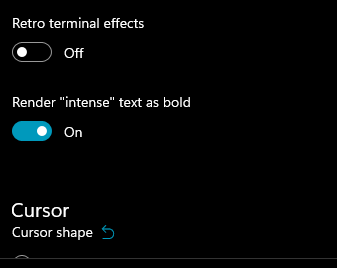 --> 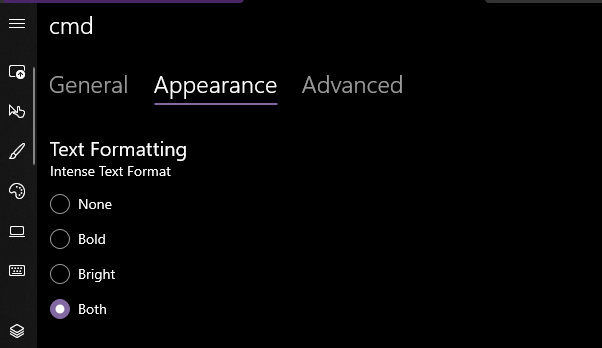 Yea that works. Printed some bold text, toggled it on, the text was no longer bold. hooray. ### EDIT, 10 Aug ```json "intenseTextStyle": "none", "intenseTextStyle": "bold", "intenseTextStyle": "bright", "intenseTextStyle": "all", "intenseTextStyle": ["bold", "bright"], ``` all work now. Repro script: ```sh printf "\e[1m[bold]\e[m[normal]\e[34m[blue]\e[1m[bold blue]\e[m\n" ``` |
||
|
Leonard Hecker
|
fc64ff3029 |
Vectorize TextColor::GetColor (#10779)
I was watching a video about vectorized instructions and I wanted to
try out some new things, as I had never written AVX code before.
This commit is the result of this tiny Thursday morning detour into
AVX land. It improves performance of `TextColor::GetColor` by about 3x.

## Validation Steps Performed

* Default colors are still properly shifted +8 ✔️
|
||
|
Leonard Hecker
|
f68324cd09 |
Fix output stuttering using a ticket lock (#10653)
`SRWLOCK`, as used by `std::shared_mutex`, is a inherently unfair mutex
and makes no guarantee whatsoever whether a thread may acquire the lock
in a timely manner. This is problematic for our renderer which relies on
being able to acquire the lock in a timely and predictable manner.
Drawing stalls of up to one minute have been observed in tests.

This issue can be solved with a primitive ticket lock, which is 10x
slower than a `SRWLOCK` but still sufficiently fast for our use case
(10M locks per second per thread). It's likely that any non-trivial lock
duration will diminish the difference to "negligible".

## Validation Steps Performed

* It still blends ✔️
|
||
|
Carlos Zamora
|
a0e5085b49 |
Expose Text Attributes to UI Automation (#10336)
## Summary of the Pull Request This implements `GetAttributeValue` and `FindAttribute` for `UiaTextRangeBase` (the shared `ITextRangeProvider` for Conhost and Windows Terminal). This also updates `UiaTracing` to collect more useful information on these function calls. ## References #7000 - Epic [Text Attribute Identifiers](https://docs.microsoft.com/en-us/windows/win32/winauto/uiauto-textattribute-ids) [ITextRangeProvider::GetAttributeValue](https://docs.microsoft.com/en-us/windows/win32/api/uiautomationcore/nf-uiautomationcore-itextrangeprovider-getattributevalue) [ITextRangeProvider::FindAttribute](https://docs.microsoft.com/en-us/windows/win32/api/uiautomationcore/nf-uiautomationcore-itextrangeprovider-findattribute) ## PR Checklist * [X] Closes #2161 * [X] Tests added/passed ## Detailed Description of the Pull Request / Additional comments - `TextBuffer`: - Exposes a new `TextBufferCellIterator` that takes in an end position. This simplifies the logic drastically as we can now use this iterator to navigate through the text buffer. The iterator can also expose the position in the buffer. - `UiaTextRangeBase`: - Shared logic & helper functions: - Most of the text attributes are stored as `TextAttribute`s in the text buffer. To extract them, we generate an attribute verification function via `_getAttrVerificationFn()`, then use that to verify if a given cell has the desired attribute. - A few attributes are special (i.e. font name, font size, and "is read only"), in that they are (1) acquired differently and (2) consistent across the entire text buffer. These are handled separate from the attribute verification function. - `GetAttributeValue`: Retrieve the attribute verification of the first cell in the range. Then, verify that the entire range has that attribute by iterating through the text range. If a cell does not have that attribute, return the "reserved mixed attribute value". - `FindAttribute`: Iterate through the text range and leverage the attribute verification function to find the first contiguous range with that attribute. Then, make the end exclusive and output a `UiaTextRangeBase`. This function must be able to perform a search backwards, so we abstract the "start" and "end" into `resultFirstAnchor` and `resultSecondAnchor`, then perform post processing to output a valid `UiaTextRangeBase`. - `UiaTracing`: - `GetAttributeValue`: Log uia text range, desired attribute, resulting attribute metadata, and the type of the result. - `FindAttribute`: Log uia text range, desired attribute and attribute metadata, if we were searching backwards, the type of the result, and the resulting text range. - `AttributeType` is a nice way to understand/record if the result was either of the reserved UIA values, a normal result, or an error. - `UiaTextRangeTests`: - `GetAttributeValue`: - verify that we know which attributes we support - test each of the known text attributes (expecting 100% code coverage for `_getAttrVerificationFn()`) - `FindAttribute`: - test each of the known _special_ text attributes - test `IsItalic`. NOTE: I'm explicitly only testing one of the standard text attributes because the logic is largely the same between all of them and they leverage `_getAttrVerificationFn()`. ## Validation Steps Performed - @codeofdusk has been testing this Conhost build - Tests added for Conhost and shared implementation - Windows Terminal changes were manually verified using accessibility insights and NVDA |
||
|
Michael Niksa
|
525be22bd8 |
Eliminate more transient allocations: Titles and invalid rectangles and bitmap runs and utf8 conversions (#8621)
## References * See also #8617 ## PR Checklist * [x] Supports #3075 * [x] I work here. * [x] Manual test. ## Detailed Description of the Pull Request / Additional comments ### Window Title Generation Every time the renderer checks the title, it's doing two bad things that I've fixed: 1. It's assembling the prefix to the full title doing a concatenation. No one ever gets just the prefix ever after it is set besides the concat. So instead of storing prefix and the title, I store the assembled prefix + title and the bare title. 2. A copy must be made because it was returning `std::wstring` instead of `std::wstring&`. Now it returns the ref. ### Dirty Area Return Every time the renderer checks the dirty area, which is sometimes multiple times per pass (regular text printing, again for selection, etc.), a vector is created off the heap to return the rectangles. The consumers only ever iterate this data. Now we return a span over a rectangle or rectangles that the engine must store itself. 1. For some renderers, it's always a constant 1 element. They update that 1 element when dirty is queried and return it in the span with a span size of 1. 2. For other renderers with more complex behavior, they're already holding a cached vector of rectangles. Now it's effectively giving out the ref to those in the span for iteration. ### Bitmap Runs The `til::bitmap` used a `std::optional<std::vector<til::rectangle>>` inside itself to cache its runs and would clear the optional when the runs became invalidated. Unfortunately doing `.reset()` to clear the optional will destroy the underlying vector and have it release its memory. We know it's about to get reallocated again, so we're just going to make it a `std::pmr::vector` and give it a memory pool. The alternative solution here was to use a `bool` and `std::vector<til::rectangle>` and just flag when the vector was invalid, but that was honestly more code changes and I love excuses to try out PMR now. Also, instead of returning the ref to the vector... I'm just returning a span now. Everyone just iterates it anyway, may as well not share the implementation detail. ### UTF-8 conversions When testing with Terminal and looking at the `conhost.exe`'s PTY renderer, it spends a TON of allocation time on converting all the UTF-16 stuff inside to UTF-8 before it sends it out the PTY. This was because `ConvertToA` was allocating a string inside itself and returning it just to have it freed after printing and looping back around again... as a PTY does. The change here is to use `til::u16u8` that accepts a buffer out parameter so the caller can just hold onto it. ## Validation Steps Performed - [x] `big.txt` in conhost.exe (GDI renderer) - [x] `big.txt` in Terminal (DX, PTY renderer) - [x] Ensure WDDM and BGFX build under Razzle with this change. |
||
|
PankajBhojwani
|
2bf5d18c84 |
Add support for autodetecting URLs and making hyperlinks (#7691)
This pull request is the initial implementation of hyperlink auto detection Overall design: - Upon startup, TerminalCore gives the TextBuffer some patterns it should know about - Whenever something in the viewport changes (i.e. text output/scrolling), TerminalControl tells TerminalCore (through a throttled function for performance) to retrieve the visible pattern locations from the TextBuffer - When the renderer encounters a region that is associated with a pattern, it paints that region differently References #5001 Closes #574 |
||
|
James Holderness
|
d1671a0acd |
Add support for the "blink" graphic rendition attribute (#7490)
This PR adds support for the _blink_ graphic rendition attribute. When a character is output with this attribute set, it "blinks" at a regular interval, by cycling its color between the normal rendition and a dimmer shade of that color. The majority of the blinking mechanism is encapsulated in a new `BlinkingState` class, which is shared between the Terminal and Conhost implementations. This class keeps track of the position in the blinking cycle, which determines whether characters are rendered as normal or faint. In Windows Terminal, the state is stored in the `Terminal` class, and in Conhost it's stored in the `CONSOLE_INFORMATION` class. In both cases, the `IsBlinkingFaint` method is used to determine the current blinking rendition, and that is passed on as a parameter to the `TextAttribute::CalculateRgbColors` method when these classes are looking up attribute colors. Prior to calculating the colors, the current attribute is also passed to the `RecordBlinkingUsage` method, which keeps track of whether there are actually any blink attributes in use. This is used to determine whether the screen needs to be refreshed when the blinking cycle toggles between the normal and faint renditions. The refresh itself is handled by the `ToggleBlinkingRendition` method, which is triggered by a timer. In Conhost this is just piggybacking on the existing cursor blink timer, but in Windows Terminal it needs to have its own separate timer, since the cursor timer is reset whenever a key is pressed, which is not something we want for attribute blinking. Although the `ToggleBlinkingRendition` is called at the same rate as the cursor blinking, we actually only want the cells to blink at half that frequency. We thus have a counter that cycles through four phases, and blinking is rendered as faint for two of those four. Then every two cycles - when the state changes - a redraw is triggered, but only if there are actually blinking attributes in use (as previously recorded). As mentioned earlier, the blinking frequency is based on the cursor blink rate, so that means it'll automatically be disabled if a user has set their cursor blink rate to none. It can also be disabled by turning off the _Show animations in Windows_ option. In Conhost these settings take effect immediately, but in Windows Terminal they only apply when a new tab is opened. This PR also adds partial support for the `SGR 6` _rapid blink_ attribute. This is not used by DEC terminals, but was defined in the ECMA/ANSI standards. It's not widely supported, but many terminals just it implement it as an alias for the regular `SGR 5` blink attribute, so that's what I've done here too. ## Validation Steps Performed I've checked the _Graphic rendition test pattern_ in Vttest, and compared our representation of the blink attribute to that of an actual DEC VT220 terminal as seen on [YouTube]. With the right color scheme it's a reasonably close match. [YouTube]: https://www.youtube.com/watch?v=03Pz5AmxbE4&t=1m55s Closes #7388 |
||
|
PankajBhojwani
|
614507b95b |
OSC 8 support for conhost and terminal (#7251)
<!-- Enter a brief description/summary of your PR here. What does it fix/what does it change/how was it tested (even manually, if necessary)? --> ## Summary of the Pull Request Conhost can now support OSC8 sequences (as specified [here](https://gist.github.com/egmontkob/eb114294efbcd5adb1944c9f3cb5feda)). Terminal also supports those sequences and additionally hyperlinks can be opened by Ctrl+LeftClicking on them. <!-- Other than the issue solved, is this relevant to any other issues/existing PRs? --> ## References #204 <!-- Please review the items on the PR checklist before submitting--> ## PR Checklist * [X] Closes #204 * [ ] CLA signed. If not, go over [here](https://cla.opensource.microsoft.com/microsoft/Terminal) and sign the CLA * [ ] Tests added/passed * [ ] Documentation updated. If checked, please file a pull request on [our docs repo](https://github.com/MicrosoftDocs/terminal) and link it here: #xxx * [ ] Schema updated. * [ ] I've discussed this with core contributors already. If not checked, I'm ready to accept this work might be rejected in favor of a different grand plan. Issue number where discussion took place: #xxx <!-- Provide a more detailed description of the PR, other things fixed or any additional comments/features here --> ## Detailed Description of the Pull Request / Additional comments Added support to: - parse OSC8 sequences and extract URIs from them (conhost and terminal) - add hyperlink uri data to textbuffer/screeninformation, associated with a hyperlink id (conhost and terminal) - attach hyperlink ids to text to allow for uri extraction from the textbuffer/screeninformation (conhost and terminal) - process ctrl+leftclick to open a hyperlink in the clicked region if present <!-- Describe how you validated the behavior. Add automated tests wherever possible, but list manual validation steps taken as well --> ## Validation Steps Performed Open up a PowerShell tab and type ```PowerShell ${ESC}=[char]27 Write-Host "${ESC}]8;;https://github.com/microsoft/terminal${ESC}\This is a link!${ESC}]8;;${ESC}\" ``` Ctrl+LeftClick on the link correctly brings you to the terminal page on github 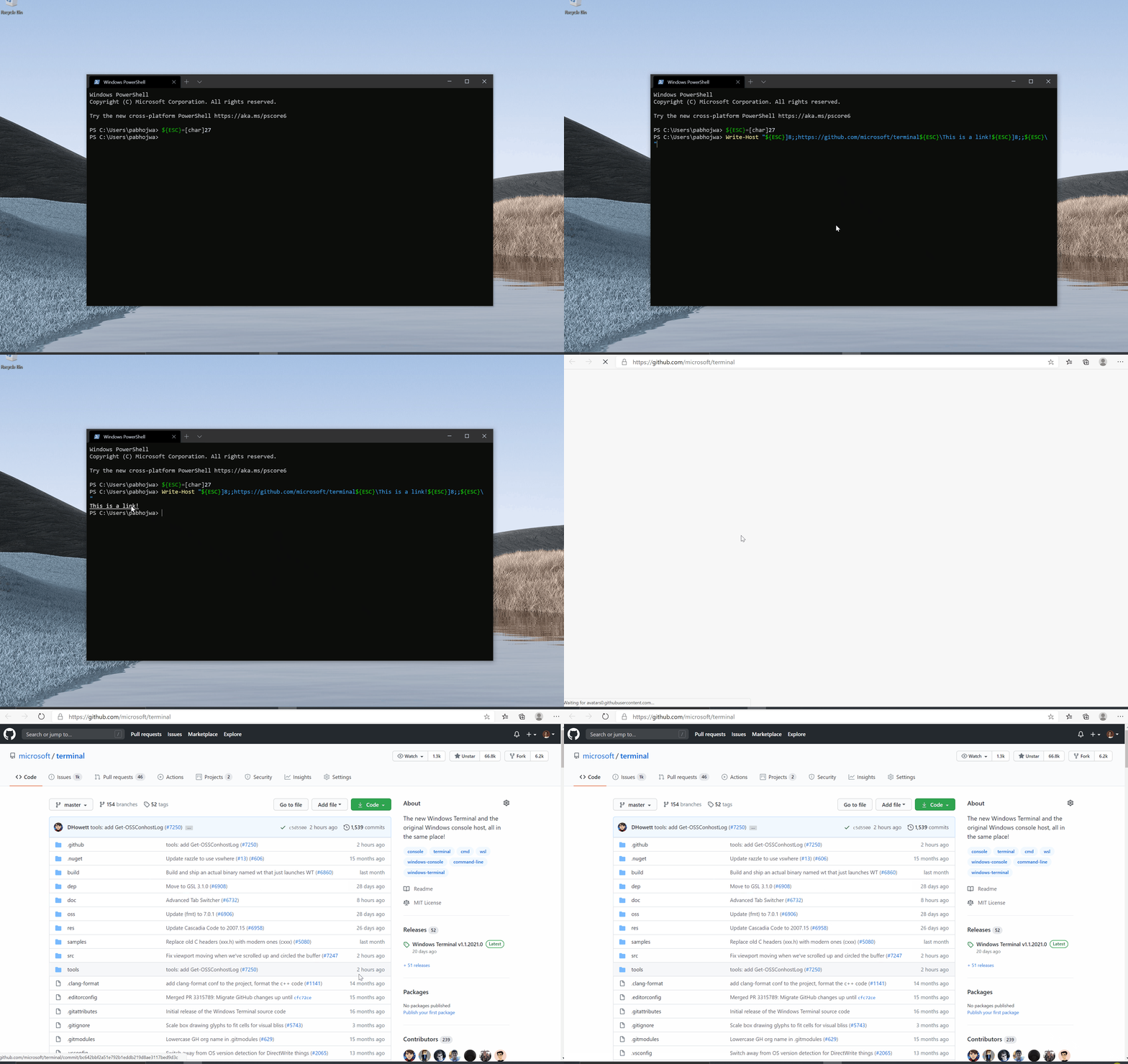 |
||
|
James Holderness
|
3388a486dc |
Refactor the renderer color calculations (#6853)
This is a refactoring of the renderer color calculations to simplify the implementation, and to make it easier to support additional color-altering rendition attributes in the future (e.g. _faint_ and _conceal_). ## References * This is a followup to PRs #3817 and #6809, which introduced additional complexity in the color calculations, and which suggested the need for refactoring. ## Detailed Description of the Pull Request / Additional comments When we added support for `DECSCNM`, that required the foreground and background color lookup methods to be able to return the opposite of what was requested when the reversed mode was set. That made those methods unnecessarily complicated, and I thought we could simplify them considerably just by combining the calculations into a single method that derived both colors at the same time. And since both conhost and Windows Terminal needed to perform the same calculations, it also made sense to move that functionality into the `TextAttribute` class, where it could easily be shared. In general this way of doing things is a bit more efficient. However, it does result in some unnecessary work when only one of the colors is required, as is the case for the gridline painter. So to make that less of an issue, I've reordered the gridline code a bit so it at least avoids looking up the colors when no gridlines are needed. ## Validation Steps Performed Because of the API changes, quite a lot of the unit tests had to be updated. For example instead of verifying colors with two separate calls to `LookupForegroundColor` and `LookupBackgroundColor`, that's now achieved with a single `LookupAttributeColors` call, comparing against a pair of values. The specifics of the tests haven't changed though, and they're all still working as expected. I've also manually confirmed that the various color sequences and rendition attributes are rendering correctly with the new refactoring. |
||
|
James Holderness
|
695ebffca1 |
Add support for DECSCNM in Windows Terminal (#6809)
## Summary of the Pull Request This PR adds full support for the `DECSCNM` reverse screen mode in the Windows Terminal to align with the implementation in conhost. ## References * The conhost implementation of `DECSCNM` was in PR #3817. * WT originally inherited that functionality via the colors being passed through, but that behaviour was lost in PR #6506. ## PR Checklist * [x] Closes #6622 * [x] CLA signed. * [ ] Tests added/passed * [ ] Documentation updated. If checked, please file a pull request on [our docs repo](https://github.com/MicrosoftDocs/terminal) and link it here: #xxx * [ ] Schema updated. * [x] I've discussed this with core contributors already. If not checked, I'm ready to accept this work might be rejected in favor of a different grand plan. Issue number where discussion took place: #6622 ## Detailed Description of the Pull Request / Additional comments The `AdaptDispatch::SetScreenMode` now checks if it's in conpty mode and simply returns false to force a pass-through of the mode change. And the `TerminalDispatch` now has its own `SetScreenMode` implementation that tracks any changes to the reversed state, and triggers a redraw in the renderer. To make the renderer work, we just needed to update the `GetForegroundColor` and `GetBackgroundColor` methods of the terminal's `IRenderData` implementation to check the reversed state, and switch the colors being calculated, the same way the `LookupForegroundColor` and `LookupBackgroundColor` methods work in the conhost `Settings` class. ## Validation Steps Performed I've manually tested the `DECSCNM` functionality for Windows Terminal in Vttest, and also with some of my own test scripts. |
||
|
greg904
|
f9b1238f30 |
Set tab title as early as possible (#6433)
When opening a new tab, it takes a few milliseconds before title to appears. This PR makes it instantaneous. * Updated the Terminal so that it can load the title from the settings before it is initialized. * Load terminal settings in TermControl constructor before the terminal is initialized (see above). * Update Tab so that it sets the TabViewItem's title in the constructor (in Tab::_MakeTabViewItem) instead of waiting for the VT sequence to set the title (from what I understand). NOTE 1: there is a similar problem with the tabview icon which is not fixed by this PR. NOTE 2: This is only a problem with animations disabled because otherwise the title fades in so there is enough time for it to be set when it becomes visible. ## Validation I ran the terminal and opened a new tab. The title appears instantly. |
||
|
James Holderness
|
e7a2732ffb |
Refactor the SGR implementation in AdaptDispatch (#5758)
This is an attempt to simplify the SGR (Select Graphic Rendition) implementation in conhost, to cut down on the number of methods required in the `ConGetSet` interface, and pave the way for future improvements and bug fixes. It already fixes one bug that prevented SGR 0 from being correctly applied when combined with meta attributes. * This a first step towards fixing the conpty narrowing bugs in issue #2661 * I'm hoping the simplification of `ConGetSet` will also help with #3849. * Some of the `TextAttribute` refactoring in this PR overlaps with similar work in PR #1978. ## Detailed Description of the Pull Request / Additional comments The main point of this PR was to simplify the `AdaptDispatch::SetGraphicsRendition` implementation. So instead of having it call a half a dozen methods in the `ConGetSet` API, depending on what kinds of attributes needed to be set, there is now just one call to get current attributes, and another call to set the new value. All adjustments to the attributes are made in the `AdaptDispatch` class, in a simple switch statement. To help with this refactoring, I also made some change to the `TextAttribute` class to make it easier to work with. This included adding a set of methods for setting (and getting) the individual attribute flags, instead of having the calling code being exposed to the internal attribute structures and messing with bit manipulation. I've tried to get rid of any methods that were directly setting legacy, meta, and extended attributes. Other than the fix to the `SGR 0` bug, the `AdaptDispatch` refactoring mostly follows the behaviour of the original code. In particular, it still maps the `SGR 38/48` indexed colors to RGB instead of retaining the index, which is what we ultimately need it to do. Fixing that will first require the color tables to be unified (issue #1223), which I'm hoping to address in a followup PR. But for now, mapping the indexed colors to RGB values required adding an an additional `ConGetSet` API to lookup the color table entries. In the future that won't be necessary, but the API will still be useful for other color reporting operations that we may want to support. I've made this API, and the existing setter, standardise on index values being in the "Xterm" order, since that'll be essential for unifying the code with the terminal adapter one day. I should also point out one minor change to the `SGR 38/48` behavior, which is that out-of-range RGB colors are now ignored rather than being clamped, since that matches the way Xterm works. ## Validation Steps Performed This refactoring has obviously required corresponding changes to the unit tests, but most were just minor updates to use the new `TextAttribute` methods without any real change in behavior. However, the adapter tests did require significant changes to accommodate the new `ConGetSet` API. The basic structure of the tests remain the same, but the simpler API has meant fewer values needed to be checked in each test case. I think they are all still covering the areas there were intended to, though, and they are all still passing. Other than getting the unit tests to work, I've also done a bunch of manual testing of my own. I've made sure the color tests in Vttest all still work as well as they used to. And I've confirmed that the test case from issue #5341 is now working correctly. Closes #5341 |
||
|
Carlos Zamora
|
75752aed80 |
Trigger scroll on scrolled selection (#5798)
## Summary of the Pull Request We accidentally missed switching one `TriggerRedrawAll` to `TriggerScroll`. This does that. ## References #5185 - applies logic from this PR ## PR Checklist * [X] Closes #5756 ## Validation Steps Performed Followed bug repro steps. |
||
|
James Holderness
|
7bf6163e63 |
Make sure background color is opaque when attrs are reversed (#5509)
In order to support a transparent background for the acrylic effect, the renderer sets the alpha value to zero for the default background color. However, when the _reversed video_ attribute is set, the background is actually filled with the foreground color, and will not be displayed correctly if it is made transparent. This PR addresses that issue by making sure the rendered background color is opaque if the reversed video attribute is set. ## References * This is not a major issue at the moment, since the _reverse video_ attribute is not typically forwarded though conpty, but that will change once #2661 is fixed. ## PR Checklist * [x] Closes #5498 * [x] CLA signed. * [ ] Tests added/passed * [ ] Requires documentation to be updated * [x] I've discussed this with core contributors already. If not checked, I'm ready to accept this work might be rejected in favor of a different grand plan. Issue number where discussion took place: #5498 ## Detailed Description of the Pull Request / Additional comments This simply adds an additional check in `Terminal::GetBackgroundColor` to make sure the returned color is opaque if the _reverse video_ attribute is set. At some point in the future this check may need to be extended to support the `DECSCNM` reverse screen mode, but for now that's not an issue. ## Validation Steps Performed I've run the test case from issue #5498, and confirmed that it now works as expected. I've also got an experimental fix for #2661 that I've tested with this patch, and that now displays _reverse video_ attributes correctly too. Closes #5498 |
||
|
Leon Liang
|
fe3f528827 |
Show a double width cursor for double width characters (#5319)
# Summary of the Pull Request This PR will allow the cursor to be double width when on top of a double width character. This required changing `IsCursorDoubleWidth` to check whether the glyph the cursor's on top of is double width. This code is exactly the same as the original PR that addressed this issue in #2932. That one got reverted at some point due to the crashes related to it, but due to a combination of Terminal having come further since that PR and other changes to address use-after-frees, some of the crashes may/may not be relevant now. The ones that seemed to be relevant/repro-able, I attempt to address in this PR. The `IsCursorDoubleWidth` check would fail during the `TextBuffer::Reflow` call inside of `Terminal::UserResize` occasionally, particularly when `newCursor.EndDeferDrawing()` is called. This is because when we tell the newCursor to `EndDefer`, the renderer will attempt to redraw the cursor. As part of this redraw, it'll ask if `IsCursorDoubleWidth`, and if the renderer managed to ask this before `UserResize` swapped out the old buffer with the new one from `Reflow`, the renderer will be asking the old buffer if its out-of-bounds cursor is double width. This was pretty easily repro'd using `cmatrix -u0` and resizing the window like a madman. As a solution, I've moved the Start/End DeferDrawing calls out of `Reflow` and into `UserResize`. This way, I can "clamp" the portion of the code where the newBuffer is getting created and reflowed and swapped into the Terminal buffer, and only allow the renderer to draw once the swap is done. This also means that ConHost's `ResizeWithReflow` needed to change slightly. In addition, I've added a WriteLock to `SetCursorOn`. It was mentioned as a fix for a crash in #2965 (although I can't repro), and I also figured it would be good to try to emulate where ConHost locks with regards to Cursor operations, and this seemed to be one that we were missing. ## PR Checklist * [x] Closes #2713 * [x] CLA signed * [x] Tests added/passed ## Validation Steps Performed Manual validation that the cursor is indeed chonky, added a test case to check that we are correctly saying that the cursor is double width (not too sure if I put it in the right place). Also open to other test case ideas and thoughts on what else I should be careful for since I am quite nervous about what other crashes might occur. |
||
|
Dustin L. Howett (MSFT)
|
f919a46caf |
Optimize rendering runs of spaces when there is no visual change (#4877)
cmatrix is somewhat of a pathological case for our infrastructure: it prints out a bunch of green and white characters and then updates them a million times a second. It also maintains a column of space between every green character. When it prints this column, it prints it in "default" or "white". This ends up making runs of text that look like this: (def: G=green B=bright white W=white *=matrix char =space) G W G W G W G W G W G W G W G W G W G W G W G W G W G W G W G W G W G W G W G W G W G W G W G W G W G W G W G W G W G W G W G W G W G W G W G W G W G W G W G W G W G W G W G W G W G W G W G W G W G W G W G W G W G W G W G W G W G W G W G W G W G W G W G W As characters trickle in: G*W G*W G*W G*W G*W G*W G*W B*W G*W G*W G*W G*W G*W G*W G*W G W G*W G*W G*W B*W G*W G*W G*W G W G*W B*W G*W G W G*W G*W G*W G*W G*W G W G*W G W G*W B*W G*W G*W B*W G W G*W G W G*W G W B*W G*W G W G W G*W G W G*W G W G W B*W G W G W B*W G W G*W G W G W G W Every one of those color transitions causes us to break up the run of text and start rendering it again. This impacts GDI, Direct2D *and* ConPTY. In the example above, there are 120 runs. The problem is, printing a space doesn't **use** the foreground color! This commit introduces an optimization. When we're about to break a text cluster because its attributes changed, we make sure that it's not just filled with spaces and doesn't differ in any visually-meaningful way (like underline or strikethrough, considering global invert state). This lets us optimize both the rendering _and_ the PTY output to look like this: G* * * * * * * B*G G* * * * * * * G* * * B*G * * * G* B*G * * * * * G* * * B*G * * B*G * * B*G * G * * B*G G B*G * Text will be printed at best line-by-line and at worst only when the visible properties of the screen actually change. In the example above, there are only 21 runs. This speeds up cmatrix remarkably. Refs #1064 |
||
|
Carlos Zamora
|
0e672fac08 |
Move rect expansion to textbuffer; refactor selection code (#4560)
- When performing chunk selection, the expansion now occurs at the time of the selection, not the rendering of the selection - `GetSelectionRects()` was moved to the `TextBuffer` and is now shared between ConHost and Windows Terminal - Some of the selection variables were renamed for clarity - Selection COORDs are now in the Text Buffer coordinate space - Fixes an issue with Shift+Click after performing a Multi-Click Selection ## References This also contributes to... - #4509: UIA Box Selection - #2447: UIA Signaling for Selection - #1354: UIA support for Wide Glyphs Now that the expansion occurs at before render-time, the selection anchors are an accurate representation of what is selected. We just need to move `GetText` to the `TextBuffer`. Then we can have those three issues just rely on code from the text buffer. This also means ConHost gets some of this stuff for free 😀 ### TextBuffer - `GetTextRects` is the abstracted form of `GetSelectionRects` - `_ExpandTextRow` is still needed to handle wide glyphs properly ### Terminal - Rename... - `_boxSelection` --> `_blockSelection` for consistency with ConHost - `_selectionAnchor` --> `_selectionStart` for consistency with UIA - `_endSelectionPosition` --> `_selectionEnd` for consistency with UIA - Selection anchors are in Text Buffer coordinates now - Really rely on `SetSelectionEnd` to accomplish appropriate chunk selection and shift+click actions ## Validation Steps Performed - Shift+Click - Multi-Click --> Shift+Click - Chunk Selection at... - top of buffer - bottom of buffer - random region in scrollback Closes #4465 Closes #4547 |
||
|
Carlos Zamora
|
d0c8221c6e |
Make ScreenInfoUiaProvider::GetSelection() Return One Selection (#4466)
## Summary of the Pull Request We used to return multiple text ranges to represent one selection. We only support one selection at a time, so we should only return one range. Additionally, I moved all TriggerSelection() calls to the renderer from Terminal to TermControl for consistency. This ensures we only call it _once_ when we make a change to our selection state. ## References #2447 - helps polish Signaling for Selection #4465 - This is more apparent as the problem holding back Signaling for Selection ## PR Checklist * [x] Closes #4452 Tested using Accessibility Insights. |
||
|
Carlos Zamora
|
29df540174 |
Refactor UiaTextRange For Improved Navigation and Reliability (#4018)
## Summary of the Pull Request This pull request is intended to achieve the following goals... 1) reduce duplicate code 2) remove static functions 3) improve readability 4) improve reliability 5) improve code-coverage for testing 6) establish functioning text buffer navigation in Narrator and NVDA This also required a change to the wrapper class `XamlUiaTextRange` that has been causing issues with Narrator and NVDA. See below for additional context. ## References #3976 - I believe this might have been a result of improperly handling degenerate ranges. Fixed here. #3895 - reduced the duplicate code. No need to separate into different files #2160 - same as #3976 above #1993 - I think just about everything is no longer static ## PR Checklist * [x] Closes #3895, Closes #1993, Closes #3976, Closes #2160 * [x] CLA signed * [x] Tests added/passed ## Detailed Description of the Pull Request / Additional comments ### UiaTextRange - converted endpoints into the COORD system in the TextBuffer coordinate space - `start` is inclusive, `end` is exclusive. A degenerate range is when start == end. - all functions are no longer static - `MoveByUnit()` functions now rely on `MoveEndpointByUnit()` functions - removed unnecessary typedefs like `Endpoint`, `ScreenInfoRow`, etc.. - relied more heavily on existing functionality from `TextBuffer` and `Viewport` ### XamlUiaTextRange - `GetAttributeValue()` must return a special HRESULT that signifies that the requested attribute is not supported. This was the cause of a number of inconsistencies between Narrator and NVDA. - `FindText()` should return `nullptr` if nothing was found. #4373 properly fixes this functionality now that Search is a shared module ### TextBuffer - Word navigation functionality is entirely in `TextBuffer` for proper abstraction - a total of 6 functions are now dedicated to word navigation to get a good understanding of the differences between a "word" in Accessibility and a "word" in selection As an example, consider a buffer with this text in it: " word other " In selection, a "word" is defined as the range between two delimiters, so the words in the example include [" ", "word", " ", "other", " "]. In accessibility , a "word" includes the delimiters after a range of readable characters, so the words in the example include ["word ", "other "]. Additionally, accessibility word navigation must be able to detect if it is on the first or last word. This resulted in a slight variant of word navigation functions that return a boolean instead of a COORD. Ideally, these functions can be consolidated, but that is too risky for a PR of this size as it can have an effect on selection. ### Viewport - the concept of `EndExclusive` is added. This is used by UiaTextRange's `end` anchor as it is exclusive. To signify that the last character in the buffer is included in this buffer, `end` must be one past the end of the buffer. This is `EndExclusive` - Since many functions check if the given `COORD` is in bounds, a flag must be set to allow `EndExclusive` as a valid `COORD` that is in bounds. ### Testing - word navigation testing relies more heavily on TextBuffer tests - additional testing was created for non-movement focused functions of UiaTextRange - The results have been compared to Microsoft Word and some have been verified by UiAutomation/Narrator contacts as expected results. ## Validation Steps Performed Tests pass Narrator works NVDA works |
||
|
James Holderness
|
8c46e740e8 |
Remove unneeded c_str() conversions (#4358)
* Remove unneeded c_str() calls when converting an hstring to a wstring_view. * Remove unneeded c_str() calls when constructing a FontInfo class with a wstring face name. * Remove unneeded winrt::to_hstring calls when passing a wstring to a method that expects an hstring. * Remove unneeded c_str() calls when passing an hstring to a method that already accepts hstrings without conversion. * Remove unneeded c_str() and data() calls when explicitly constructing an hstring from a wstring. |
||
|
Michael Niksa
|
d711d731d7 |
Apply audit mode to TerminalConnection/Core/Settings and WinCon… (#4016)
## Summary of the Pull Request - Enables auditing of some Terminal libraries (Connection, Core, Settings) - Also audit WinConPTY.LIB since Connection depends on it ## PR Checklist * [x] Rolls audit out to more things * [x] I work here * [x] Tests should still pass * [x] Am core contributor ## Detailed Description of the Pull Request / Additional comments This is turning on the auditing of these projects (as enabled by the heavier lifting in the other refactor) and then cleaning up the remaining warnings. ## Validation Steps Performed - [x] Built it - [x] Ran the tests |
||
|
Kaiyu Wang
|
d7ae8e6db9 |
Search - add search box control and implement search experience (#3590)
<!-- Enter a brief description/summary of your PR here. What does it fix/what does it change/how was it tested (even manually, if necessary)? --> This is the PR for feature Search: #605 This PR includes the newly introduced SearchBoxControl in TermControl dir, which is the search bar for the search experience. And the codes that enable Search in Windows Terminal. <!-- Other than the issue solved, is this relevant to any other issues/existing PRs? --> The PR that migrates the Conhost search module: https://github.com/microsoft/terminal/pull/3279 Spec (still actively updating): https://github.com/microsoft/terminal/pull/3299 <!-- Please review the items on the PR checklist before submitting--> ## PR Checklist * [x] Closes #605 * [ ] CLA signed. If not, go over [here](https://cla.opensource.microsoft.com/microsoft/Terminal) and sign the CLA * [ ] Tests added/passed * [ ] Requires documentation to be updated * [ ] I've discussed this with core contributors already. If not checked, I'm ready to accept this work might be rejected in favor of a different grand plan. Issue number where discussion took place: #xxx <!-- Provide a more detailed description of the PR, other things fixed or any additional comments/features here --> These functionalities are included in the search experience. 1. Search in Terminal text buffer. 2. Automatic wrap-around. 3. Search up or down switch by clicking different buttons. 4. Search case sensitively/insensitively by clicking a button. S. Move the search box to the top/bottom by clicking a button. 6. Close by clicking 'X'. 7. Open search by ctrl + F. When the searchbox is open, the user could still interact with the terminal by clicking the terminal input area. While I already have the search functionalities, currently there are still some known to-do works and I will keep updating my PR: 1. Optimize the search box UI, this includes: 1) Theme adaptation. The search box background and font color should change according to the theme, 2) Add background. Currently the elements in search box are all transparent. However, we need a background. 3) Move button should be highlighted once clicked. 2. Accessibility: search process should be able to performed without mouse. Once the search box is focused, the user should be able to navigate between all interactive elements on the searchbox using keyboard. <!-- Describe how you validated the behavior. Add automated tests wherever possible, but list manual validation steps taken as well --> To test: 1. checkout this branch. 2. Build the project. 3. Start Windows Terminal and press Ctrl+F 4. The search box should appear on the top right corner. |




