mirror of
https://github.com/freeCodeCamp/freeCodeCamp.git
synced 2026-01-08 03:04:00 -05:00
 e2879397fd
Co-authored-by: Jeremy L Thompson <jeremy@jeremylt.org>
Co-authored-by: Huyen Nguyen <25715018+huyenltnguyen@users.noreply.github.com>
28 lines
1.2 KiB
Markdown
28 lines
1.2 KiB
Markdown
# Authors Analytics Manual
|
|
|
|
If you are an author with access to the publication's Google Analytics Property (News), you can use this guide to view your article engagement and search for articles by publication language.
|
|
|
|
## Search by Language
|
|
|
|
To search for engagement reports in a specific language:
|
|
|
|
|
|
|
|
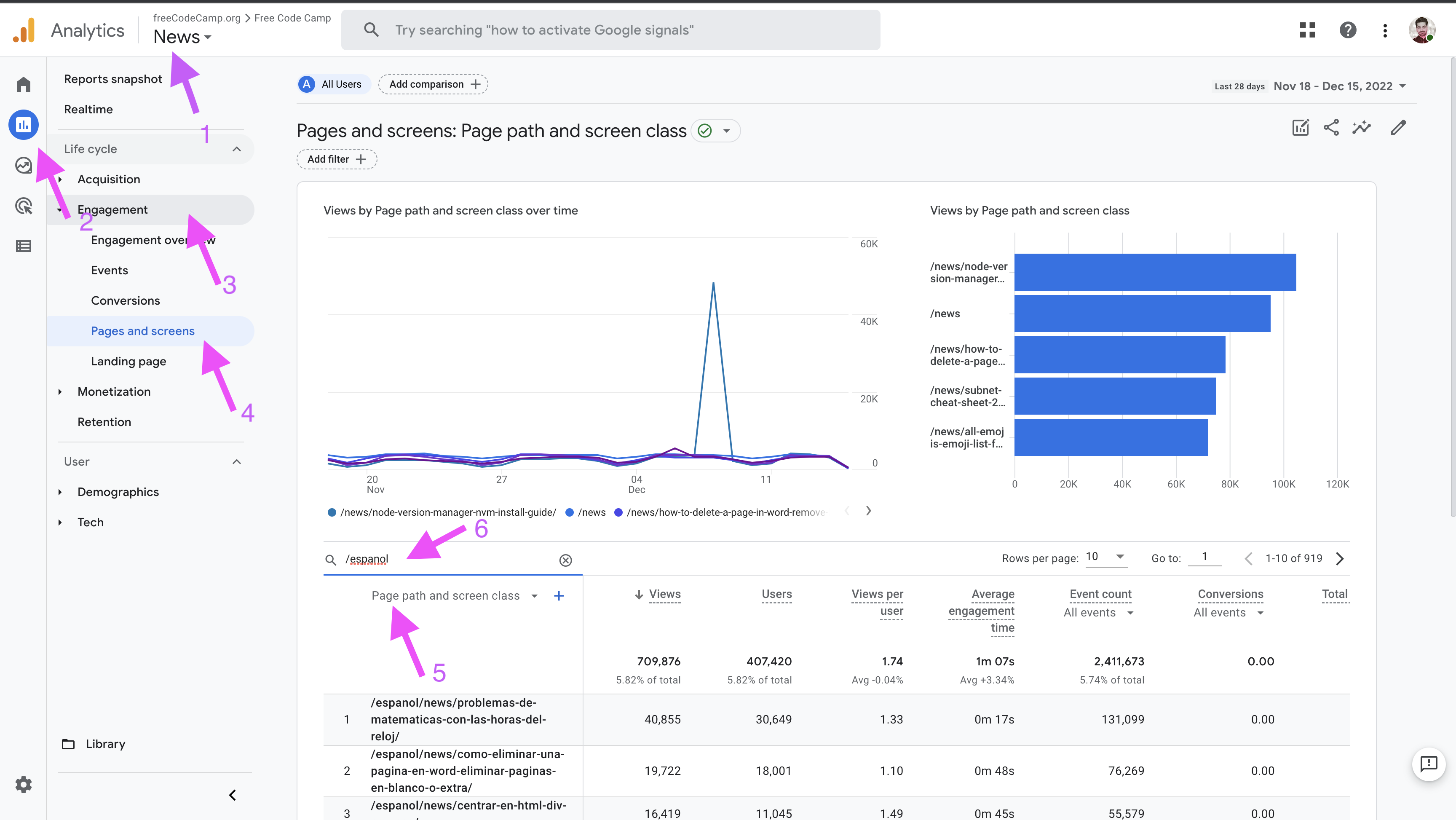
1. From the top dropdown menu, select `News`.
|
|
1. From the sidebar, click on `Reports`.
|
|
1. From the secondary sidebar, select `Engagement`.
|
|
1. Click on `Pages and Screens`.
|
|
1. In the search bar, type the subpath for the desired language.
|
|
1. From the dropdown under the search bar, choose `Page path and screen class`.
|
|
|
|
## Filter Reports by Author
|
|
|
|
After arriving at the `Pages and Screens` reports mentioned above, use the following steps to filter the results by specific authors.
|
|
|
|
|
|
|
|
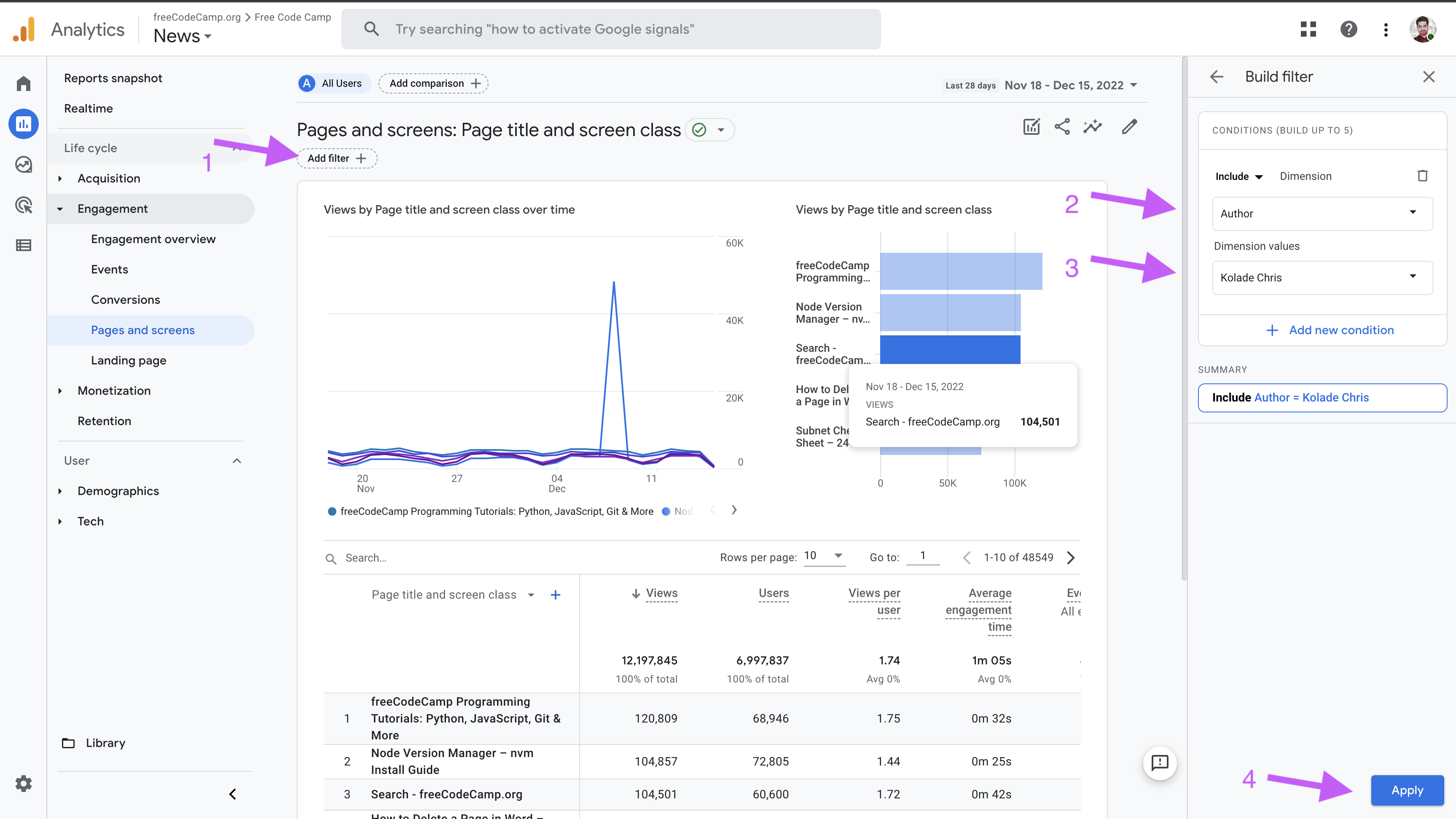
1. Click on the `Add filter` button.
|
|
1. From the side navigation include `Author`.
|
|
1. From the `Dimensions values` dropdown, choose an author's name.
|
|
1. Click on the `Apply` button to apply changes.
|