 e8256d8728
* test: Add tests demonstrating non-atomic OCI installation bug

Add TestInstallFdwFiles_PartialInstall_BugDocumentation and
TestInstallDbFiles_PartialMove_BugDocumentation to demonstrate
issue #4758 where OCI installations can leave the system in an
inconsistent state if they fail partway through.

The FDW test simulates a scenario where:
- Binary is extracted successfully (v2.0)
- Control file move fails (permission error)
- System left with v2.0 binary but v1.0 control/SQL files

The DB test simulates a scenario where:
- MoveFolderWithinPartition fails partway through
- Some files updated to v2.0, others remain v1.0
- Database in inconsistent state

These tests will fail initially, demonstrating the bug exists.

Related to #4758

Generated with Claude Code

Co-Authored-By: Claude <noreply@anthropic.com>

* fix: Make OCI installations atomic to prevent inconsistent states

Fixes #4758

This commit implements atomic installation for both FDW and DB OCI
installations using a staging directory approach.

Changed installFdwFiles() to use a two-stage process:

1. **Stage 1 - Prepare files in staging directory:**
   - Extract binary to staging/bin/
   - Copy control file to staging/
   - Copy SQL file to staging/
   - If ANY operation fails, no destination files are touched

2. **Stage 2 - Move all files to final destinations:**
   - Remove old binary (Mac M1 compatibility)
   - Move staged binary to destination
   - Move staged control file to destination
   - Move staged SQL file to destination
   - Includes rollback on failure

Benefits:
- If staging fails, destination files unchanged (safe failure)
- All files validated before touching destinations
- Rollback attempts if final move fails

Changed installDbFiles() to use atomic directory rename:

1. Move all files to staging directory (dest +".staging")
2. Rename existing destination to backup (dest + ".backup")
3. Atomically rename staging to destination
4. Clean up backup on success
5. Rollback on failure (restore backup)

Benefits:
- Directory rename is atomic on most filesystems
- Either all DB files update or none do
- Backup allows rollback on failure

The bug documentation tests demonstrate the issue:
- TestInstallFdwFiles_PartialInstall_BugDocumentation
- TestInstallDbFiles_PartialMove_BugDocumentation

These tests intentionally fail to show the bug exists. With the
atomic implementation, the actual install functions prevent the
inconsistent states these tests demonstrate.

Generated with Claude Code

Co-Authored-By: Claude <noreply@anthropic.com>

* Improve idempotency: cleanup old backup/staging directories

Add cleanup of .backup and .staging directories at the start of DB
installation to handle cases where the process was killed during a
previous installation attempt. This prevents accumulation of leftover
directories and ensures installation can proceed cleanly.

🤖 Generated with [Claude Code](https://claude.com/claude-code)

Co-Authored-By: Claude <noreply@anthropic.com>

* Remove bug documentation tests that are now fixed by atomic installation

The TestInstallDbFiles_PartialMove_BugDocumentation and
TestInstallFdwFiles_PartialInstall_BugDocumentation tests were added
during rebase from other PRs (4895, 4898, 4900). They document bugs
where partial installations could leave the system in an inconsistent
state.

However, PR #4902's atomic staging approach fixes these bugs, so the
tests now fail (because the bugs no longer exist). Since tests should
validate current behavior rather than document old bugs, these tests
have been removed entirely. The bugs are well-documented in the PR
descriptions and git history.

Also removed unused 'io' import from fdw_test.go.

* Preserve Mac M1 safety in FDW binary installation

During rebase conflict resolution, the Mac M1 safety mechanism from
PR #4898 was inadvertently weakened. The original fix ensured the new
binary was fully ready before deleting the old one.

Original PR #4898 approach:
1. Extract new binary
2. Verify it exists
3. Move to .tmp location
4. Delete old binary
5. Rename .tmp to final location

Our initial PR #4902 rebase broke this:
1. Extract to staging
2. Delete old binary ❌ (too early!)
3. Move from staging

If the move failed, the system would be left with NO binary at all.

Fixed approach (preserves both Mac M1 safety AND atomic staging):
1. Extract to staging directory
2. Move staging to .tmp location (verifies move works)
3. Delete old binary (now safe - new one is ready)
4. Rename .tmp to final location (atomic)

This ensures we never delete the old binary until the new one is
confirmed ready, while still using the staging directory approach
for atomic multi-file installations.

---------

Co-authored-by: Claude <noreply@anthropic.com>




select * from cloud;
Steampipe is the zero-ETL way to query APIs and services. Use it to expose data sources to SQL.
SQL. It's been the data access standard for decades.
Live data. Query APIs in real-time.
Speed. Query APIs faster than you ever thought possible.
Concurrency. Query many data sources in parallel.
Single binary. Use it locally, deploy it in CI/CD pipelines.
Demo time!
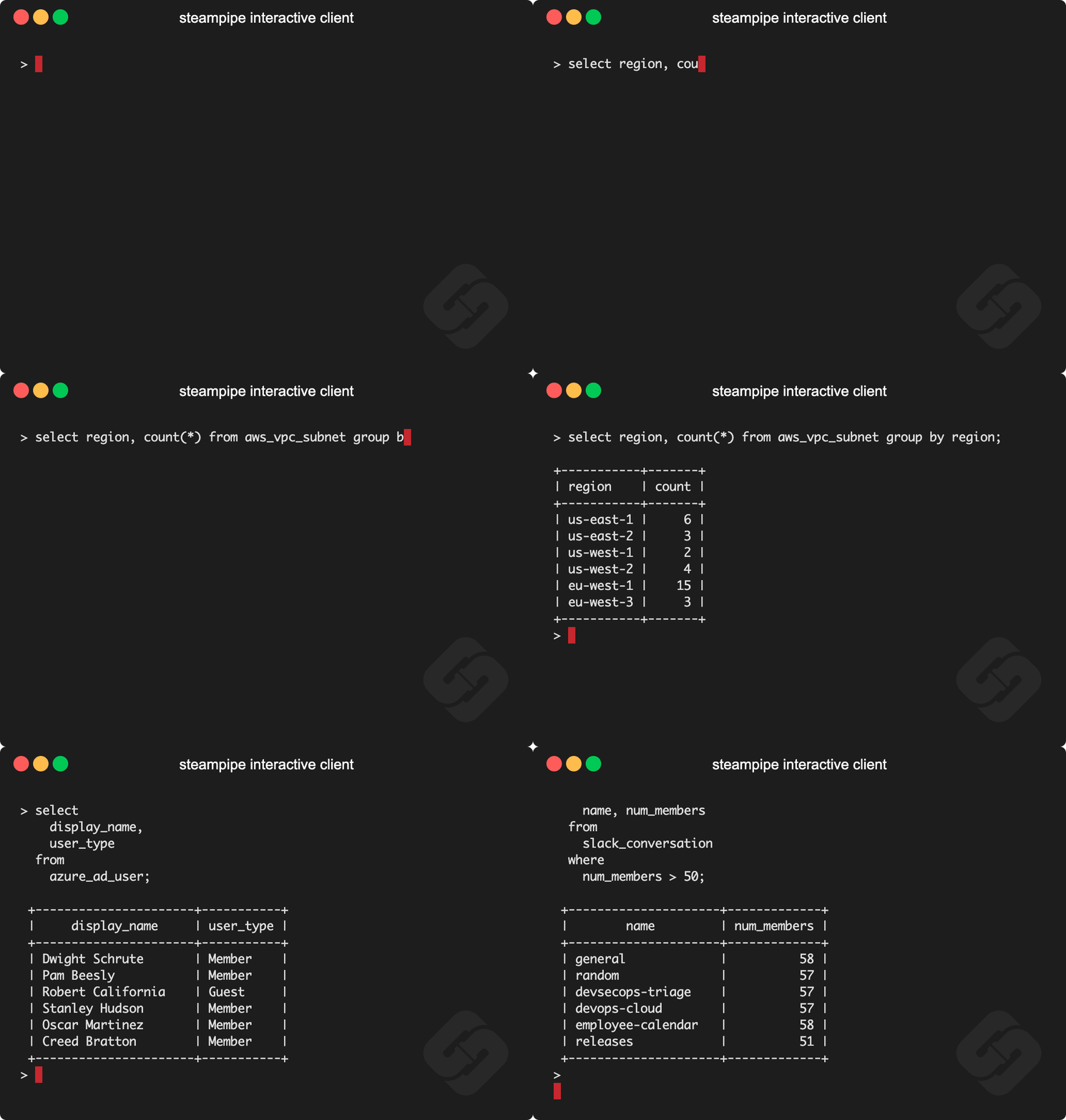
Documentation
See the documentation for:
Install Steampipe
Install Steampipe from the downloads page:
# MacOS
brew install turbot/tap/steampipe
# Linux or Windows (WSL2)
sudo /bin/sh -c "$(curl -fsSL https://steampipe.io/install/steampipe.sh)"
Install a plugin for your favorite service (e.g. AWS, Azure, GCP, GitHub, Kubernetes, Hacker News, etc):
steampipe plugin install hackernews
Query!
steampipe query
> select * from hackernews_new limit 10
Steampipe plugins
The Steampipe community has grown a suite of plugins that map APIs to database tables. Plugins are available for AWS, Azure, GCP, Kubernetes, GitHub, Microsoft 365, Salesforce, and many more.
There are more than 2000 tables in all, each clearly documented with copy/paste/run examples.
Steampipe distributions
Plugins are available in these distributions.
Steampipe CLI. Run queries that translate APIs to tables in the Postgres instance that's bundled with Steampipe.
Steampipe Postgres FDWs. Use native Postgres Foreign Data Wrappers to translate APIs to foreign tables.
Steampipe SQLite extensions. Use SQLite extensions to translate APIS to SQLite virtual tables.
Steampipe export tools. Use standalone binaries that export data from APIs, no database required.
Turbot Pipes. Use Turbot Pipes to run Steampipe in the cloud.
Developing
If you want to help develop the core Steampipe binary, these are the steps to build it.
Clone
git clone git@github.com:turbot/steampipe
Build
cd steampipe
make
The Steampipe binary lands in /usr/local/bin/steampipe directory unless you specify an alternate OUTPUT_DIR.
Check the version
$ steampipe --version
steampipe version 0.22.0
Install a plugin
$ steampipe plugin install steampipe
Run your first query
Try it!
steampipe query
> .inspect steampipe
+-----------------------------------+-----------------------------------+
| TABLE                             | DESCRIPTION                       |
+-----------------------------------+-----------------------------------+
| steampipe_registry_plugin         | Steampipe Registry Plugins        |
| steampipe_registry_plugin_version | Steampipe Registry Plugin Version |
+-----------------------------------+-----------------------------------+

> select * from steampipe_registry_plugin;
If you're interested in developing Steampipe plugins, see our documentation for plugin developers.
Turbot Pipes
Bring your team to Turbot Pipes to use Steampipe together in the cloud. In a Pipes workspace you can use Steampipe for data access, Powerpipe to visualize query results, and Flowpipe to automate workflow.
Open source and contributing
This repository is published under the AGPL 3.0 license. Please see our code of conduct. Contributors must sign our Contributor License Agreement as part of their first pull request. We look forward to collaborating with you!
Steampipe is a product produced from this open source software, exclusively by Turbot HQ, Inc. It is distributed under our commercial terms. Others are allowed to make their own distribution of the software, but cannot use any of the Turbot trademarks, cloud services, etc. You can learn more in our Open Source FAQ.